

Minimization
The minimization plugin optimizes the conformation of the selected molecule or complex to find a geometry where the net force on each atom is as close to zero as possible. It uses the molecular mechanics force fields implemented in Open Babel.
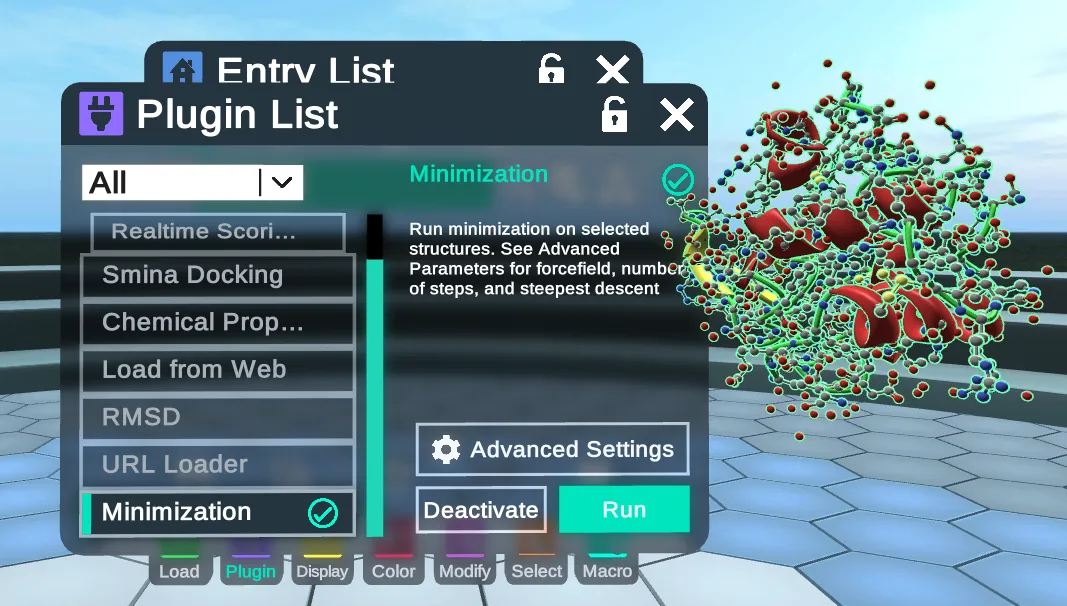
Instructions
To use the minimization plugin, activate it from the Stacks menu and select one or more complexes in the Entry List. You can then press Run to use the default settings.
The Modify menu's Compute tab has its own Minimize menu, behind its gear button. It has Force Fields, Number of Steps, a Steepest Descent toggle and Start minimization, as Main Menus shows.
Auto-minimize is a separate feature that can be toggled on or off in the Prep tab of the MedChem Tools. Small molecules or edits to the protein will be minimized automatically when the feature is on. See MedChem Tools for more.
The minimization process can be stopped at any time by pressing the 'Stop' button.
Settings
Before a run, the settings can be viewed and changed from Advanced Settings, the gear button above Run in the Stacks menu.
Force fields that are supported in Nanome: General Amber, Ghemical, MMFF94, MMFF94s, and Universal. The default force field is Universal.
Choose from 2 first derivative methods:
- Steepest Descent: robust when the structure starts far from a minimum.
- Conjugate Gradient: converges faster once the structure is near a minimum.
Select up to 5000 steps (default 2500) and press Start Minimizing. The selected structures get their bounding boxes and their energies are minimized.