

Conformer Generator
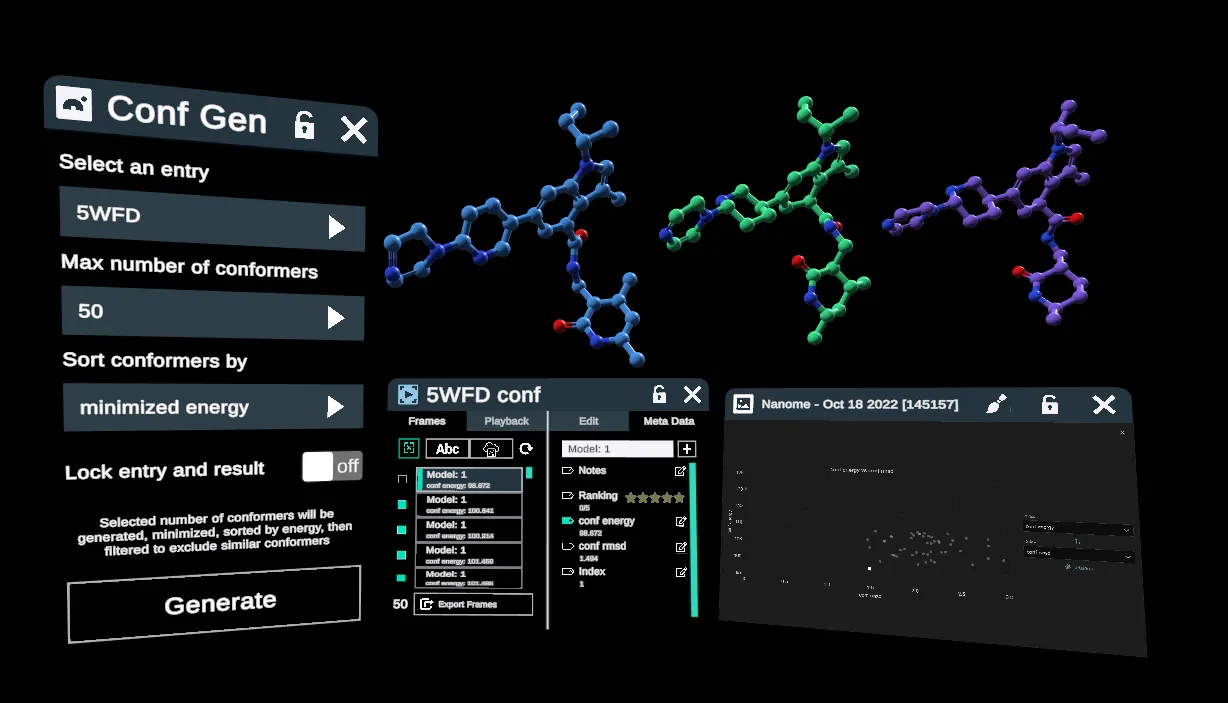
The Conformer Generator Plugin uses RDKit and UFF minimization to deliver a collection of diverse, low energy conformers of a selected “seed” ligand. 3D results are captured as frames in a single new entry in the workspace. Each conformer's minimized energy and its RMSD to the seed ligand are shown on the Meta Data tab of the Advanced Menu and in the Data Table plugin.
For the seed, the plugin reports the UFF energy of a minimized copy, while the seed frame keeps the original pose. So the seed's conf energy belongs to a nearby energy minimum, at or below the energy of the bound pose.
Potential uses
- Check whether the protein-bound pose sits near one of the ligand's low energy conformations, by comparing the seed's energy and RMSD with the conformers'
- Compare conformer energy and RMSD to that of the “seed” ligand
- Obtain low energy conformers for further analysis in docking protocols
- Visualize whether a ligand has many or few diverse low energy conformations available to it, to inform design strategy for more constrained or more flexible analogs
- Apply conformational analysis to selections for fragment screening and virtual screening as one parameter of hit quality
Instructions
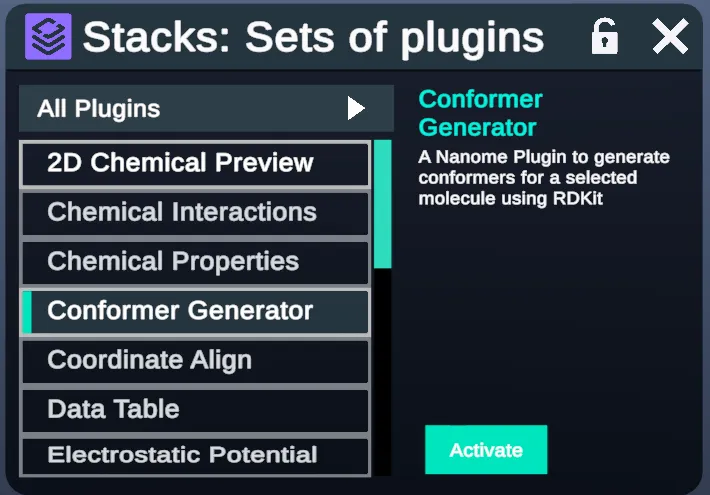
Conformer Generator starts from the Stacks menu. Activate starts the plugin, and its Open button then shows the Conf Gen panel.
- Selected here, with its description on the right.
- Starts the selected plugin. Its Open button then shows the Conf Gen panel.
- Another plugin for viewing the results, shown at the end of this page.
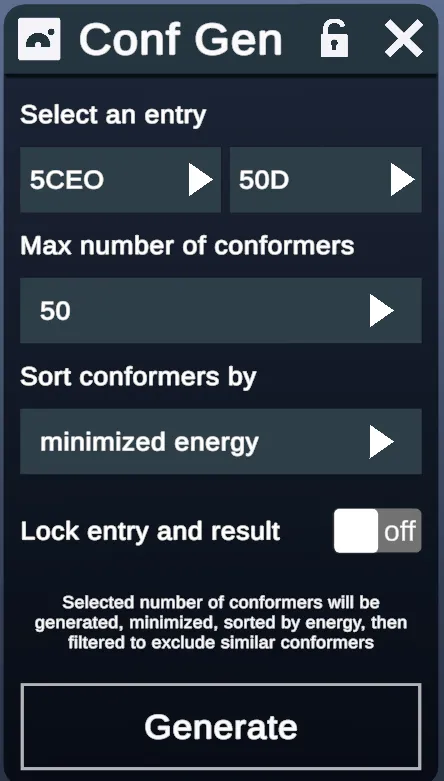
- In the upper left, the user can select either a protein entry containing a ligand or an individual ligand entry
- Next, choose the maximum number of conformers (50, 100 or 200) from the pulldown. Conformers too similar to one already kept are left out, so you may get fewer.
- Users may optionally choose to have the conformer set locked with the seed structure
- Clicking Generate runs the plugin. During calculation, this button reads “Generating...”
- Once complete, the “Generating...” button returns to “Generate” state and a new entry appears in the Entry List
- The new entry of conformer frames has associated meta data of conformation energy and RMSD to seed ligand
- The protein entry, here 5CEO.
- The ligand in that protein entry, here 50D.
- 50, 100 or 200.
- Set to minimized energy here.
- Optional. Locks the conformer set with the seed structure.
- Runs the plugin. Reads Generating... while it runs.
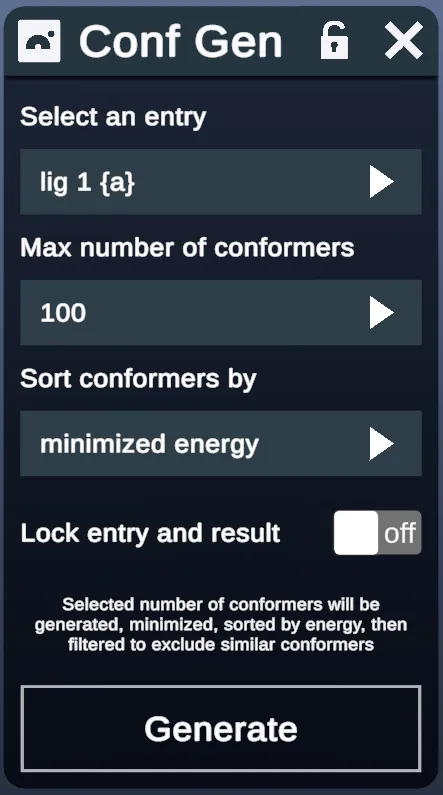
- An individual ligand entry, here lig 1 {a}, needs only this one pulldown.
- Set to 100 here.
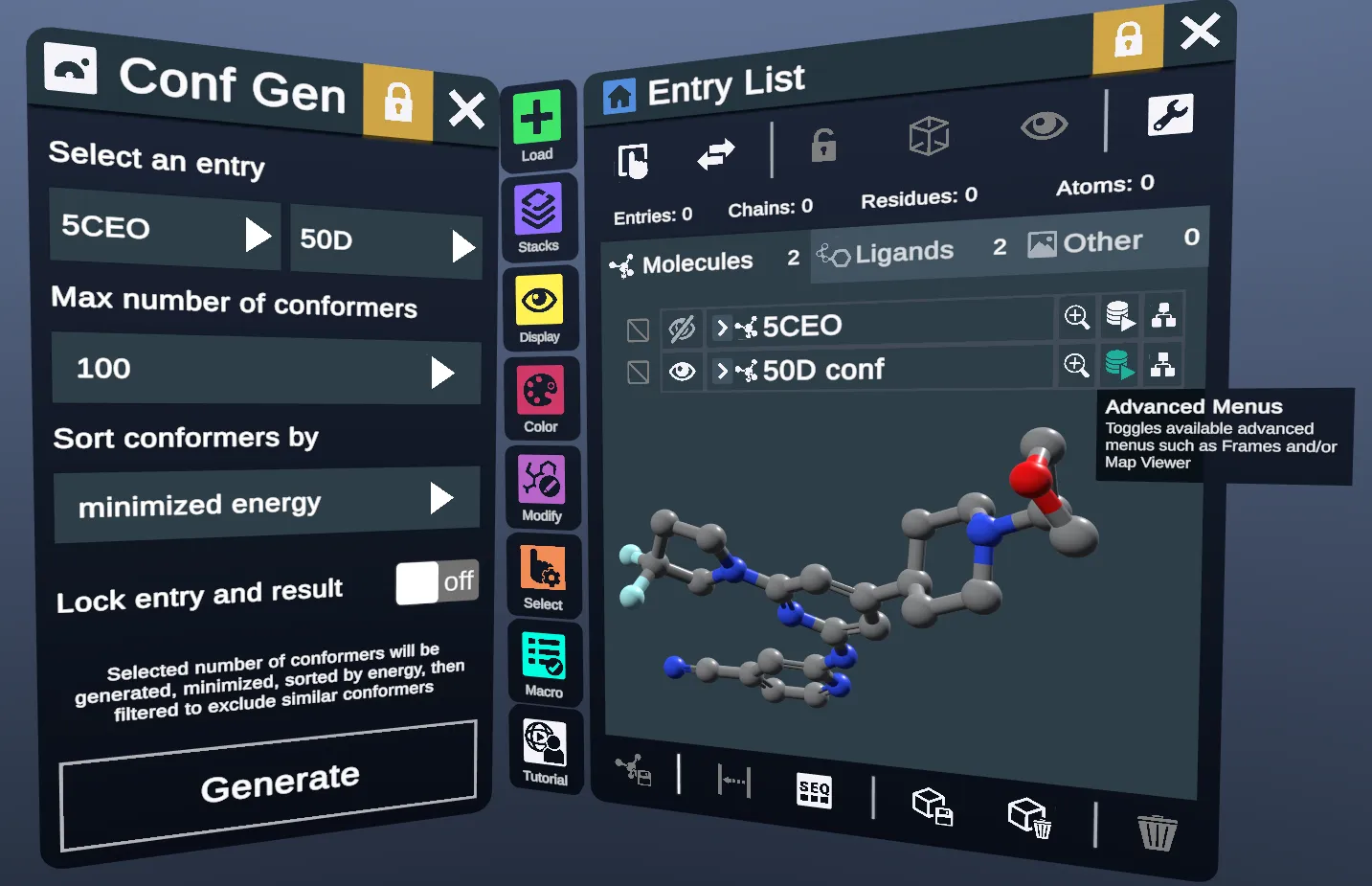
The conformer entry of frames opens in the workspace, and the new Entry List item appears, with a link to the Advanced Menu for navigating frames.
- Back in its Generate state once the run is done.
- The new entry of conformer frames.
- Opens the Advanced Menu for the frames.
- The conformer entry, open in the workspace.
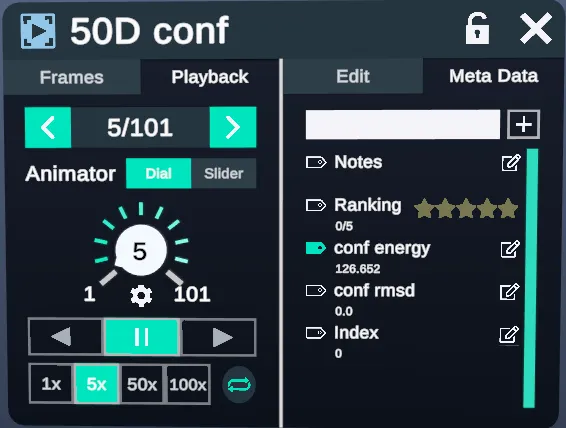
Advanced Menu allows sorting and playing back through the conformers, as well as viewing the energy and RMSD of each conformer.
- Lists the conformers, one frame each.
- Plays back through the conformers.
- Previous / NextSteps one conformer at a time.
- Play / PausePlays the conformers in turn, or pauses.
- 1x, 5x, 50x or 100x.
- The data stored with each conformer. The values in this shot are the seed's, from frame 1.
- conf energyThe conformer's UFF energy, in kcal/mol.
- conf rmsdHeavy-atom RMSD to the seed ligand, in Å.
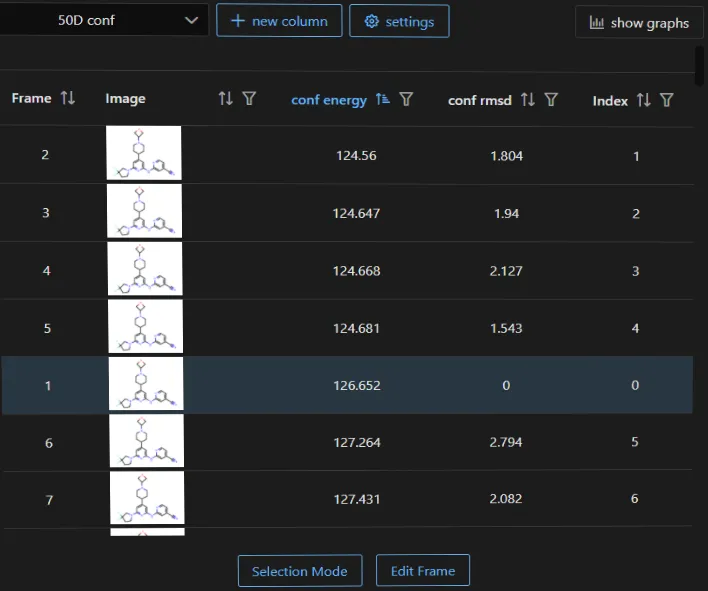
The Data Table plugin can also be used to view results and is accessible through the Stacks menu. Energy and RMSD to seed ligand may be sorted and filtered in the table, and plotted graphically. Note the seed ligand at RMSD=0 highlighted here.
- The entry shown in the table.
- conf energySorts or filters by energy.
- conf rmsdSorts or filters by RMSD to the seed ligand.
- Frame 1, at RMSD 0.
- Plots the columns as a graph.
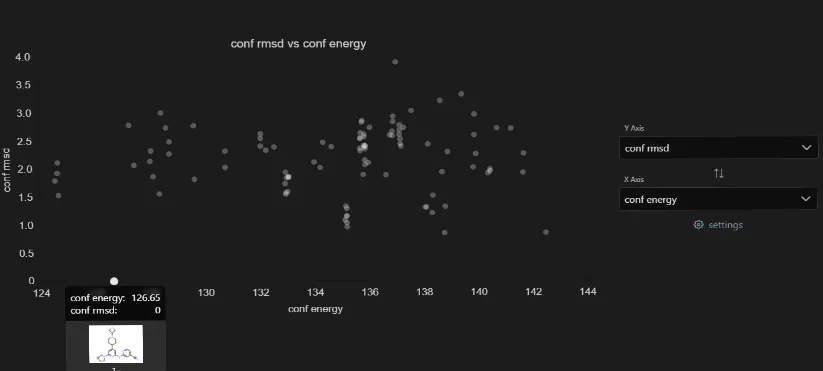
- Set to conf rmsd here.
- Set to conf energy here.
- At RMSD 0, the original pose. Its energy, 126.65 kcal/mol, is for the minimized copy.