

Nanome Controls
In-VR Controls
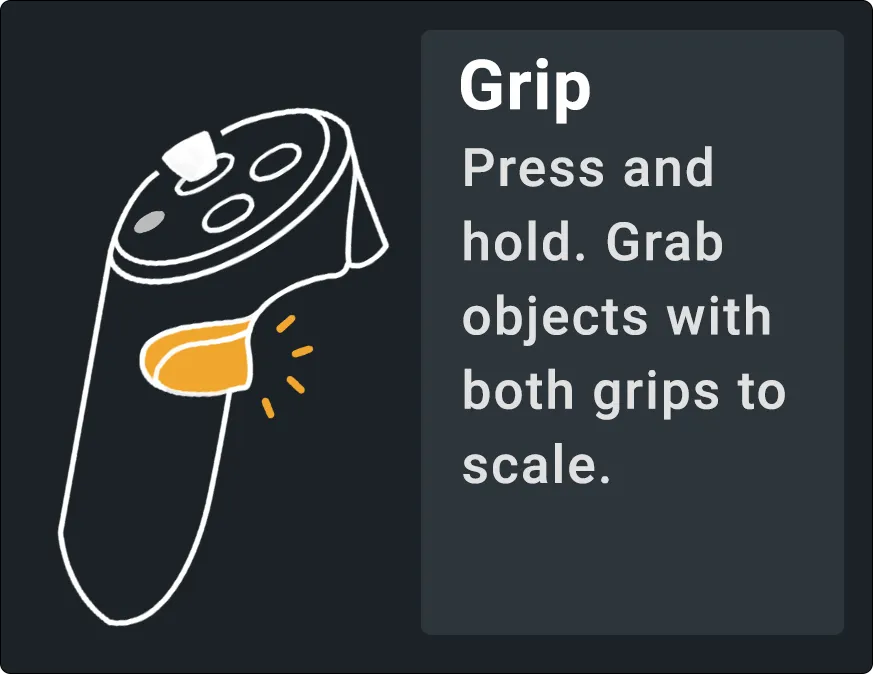
Trigger and grip
- Press to interact with the menu buttons and interfaces your laser is pointed at.
- Press and hold. Grab objects with both grips to scale.
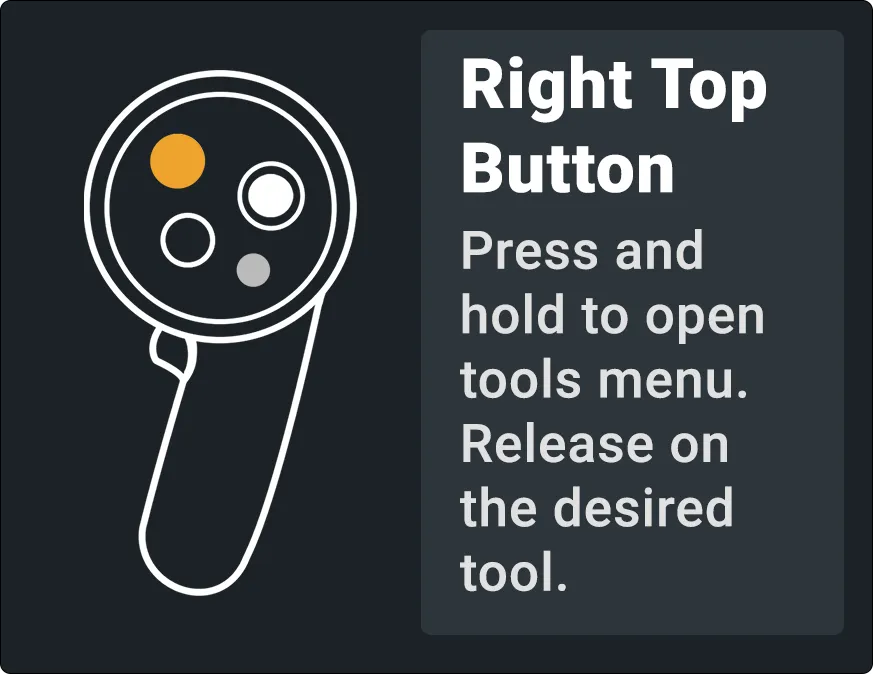
Right controller
- Press and hold to open the tools menu. Release on the desired tool.
- Move left/right when using any tool to switch to the next tool. Move up/down when grabbing an object to push/pull the object.
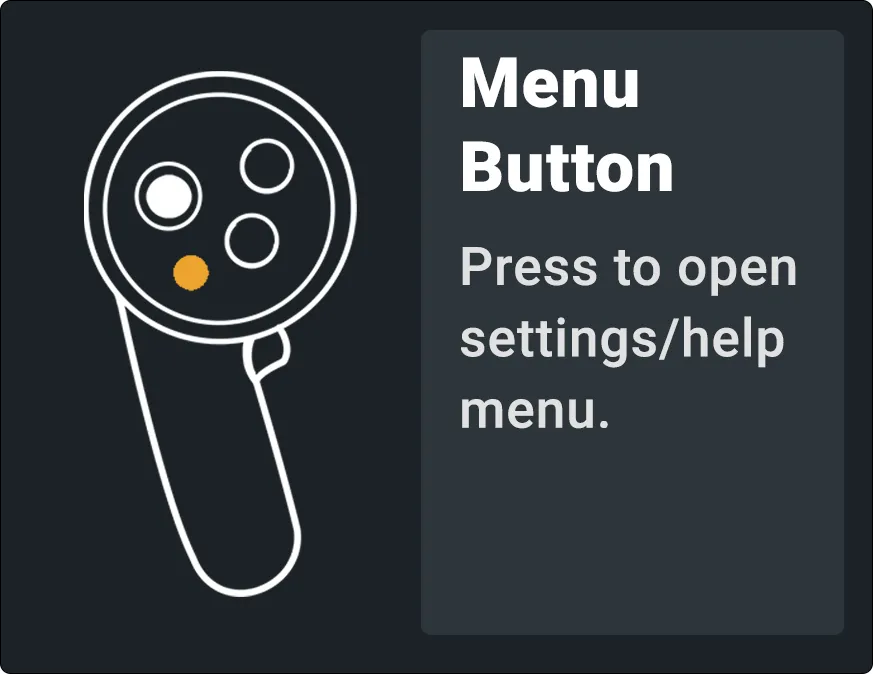
Left controller
- Press to open and close the action menu, which allows quick access to tools.
- Move left/right when using the Medchem tool to switch the Medchem tab. Move up/down when grabbing an object to push/pull the object.
- Press to open the settings/help menu.
2D Controller Bindings
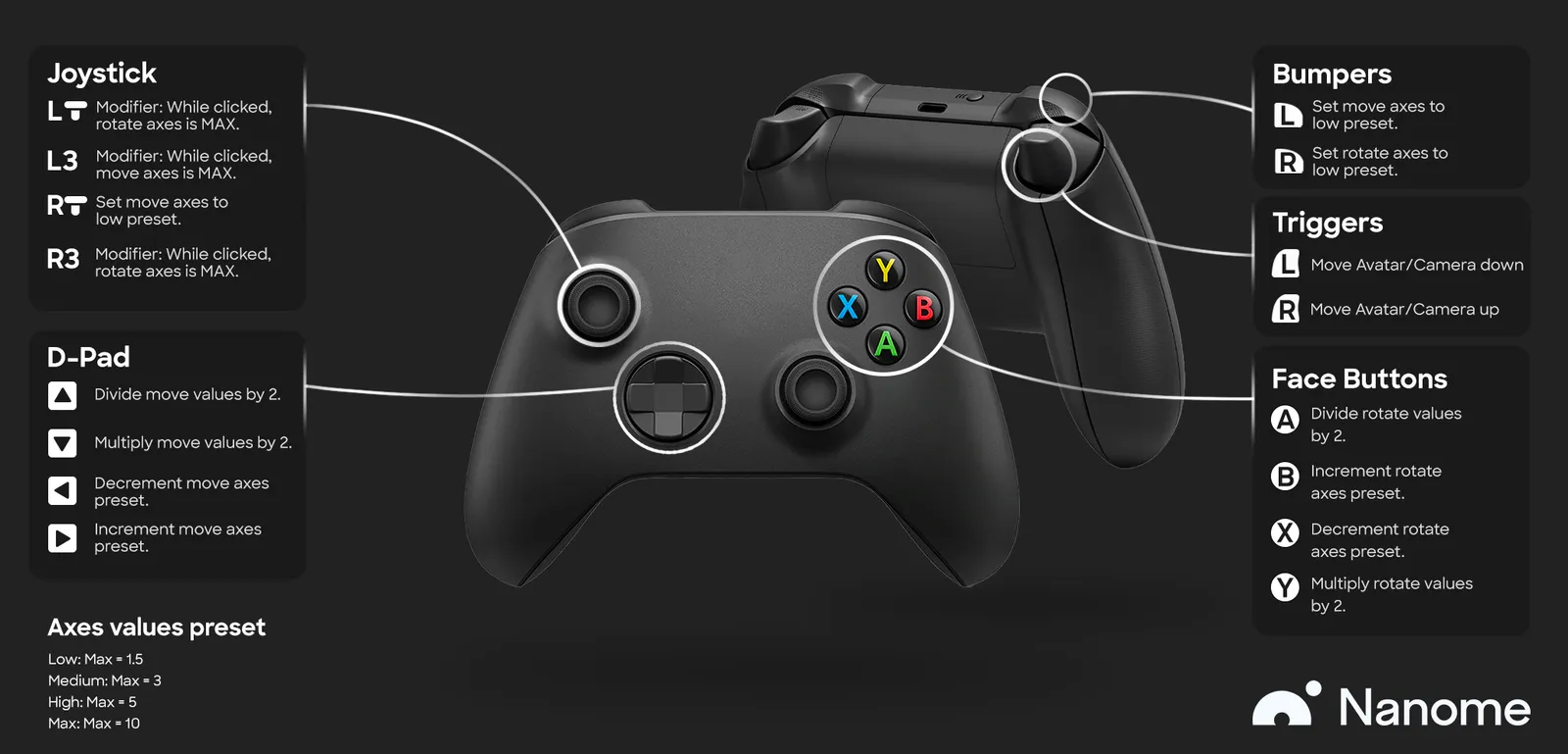
Joystick
- Modifier: while clicked, rotate axes is MAX.
- Modifier: while clicked, move axes is MAX.
- Set move axes to low preset.
- Modifier: while clicked, rotate axes is MAX.
D-Pad
- Divide move values by 2.
- Multiply move values by 2.
- Decrement move axes preset.
- Increment move axes preset.
Bumpers
- Set move axes to low preset.
- Set rotate axes to low preset.
Triggers
- Move Avatar/Camera down.
- Move Avatar/Camera up.
Face Buttons
- Divide rotate values by 2.
- Increment rotate axes preset.
- Decrement rotate axes preset.
- Multiply rotate values by 2.
Axes values preset
- Low: Max = 1.5. Medium: Max = 3. High: Max = 5. Max: Max = 10.